Customers lists the companies you work with, whether they already buy from you or might. Open one to see its people and everything that has happened with them.
In the Hall Workspace › Customers
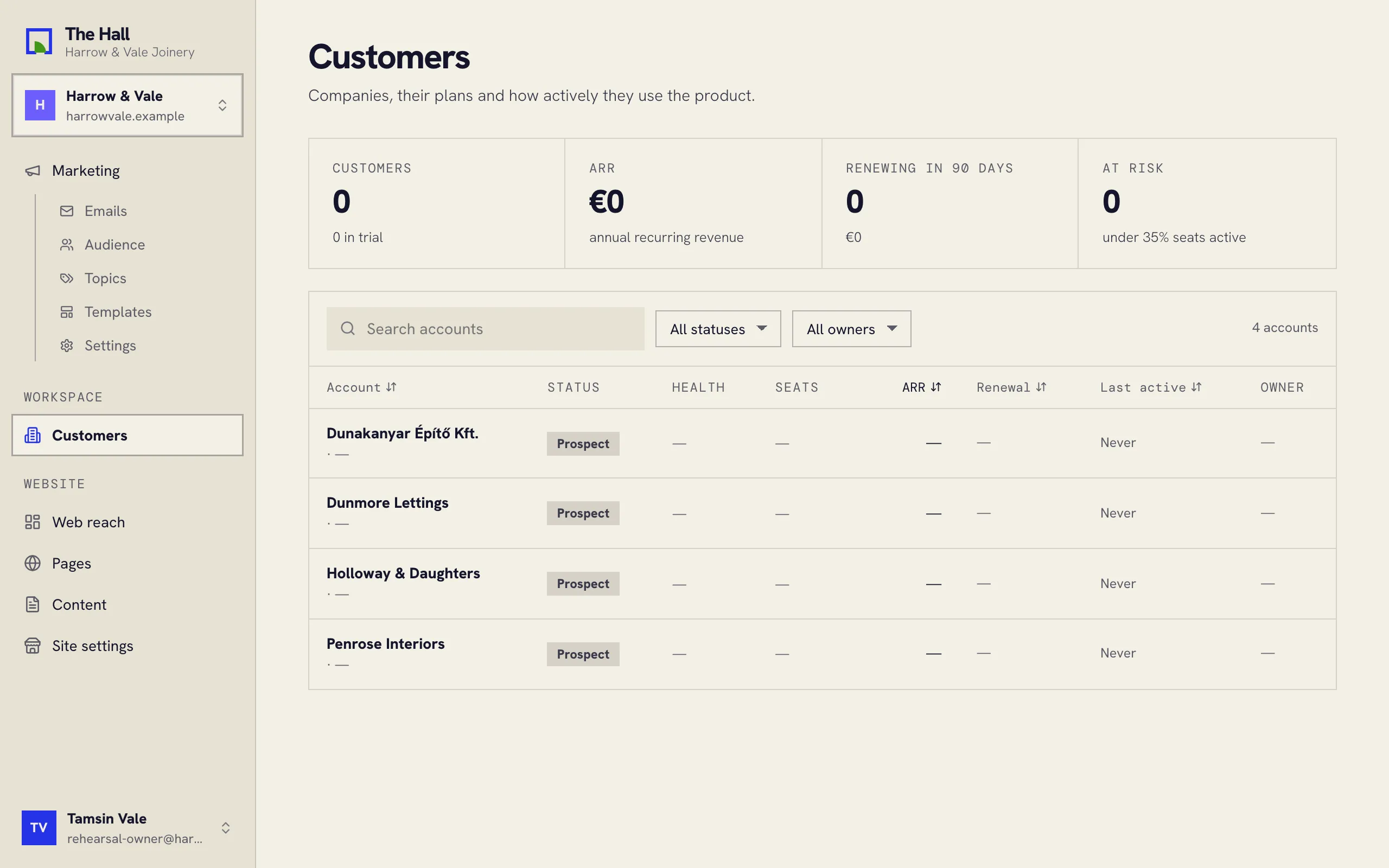
Finding a company
- Search accounts finds a company by name.
- The two lists beside it filter by status (Customers, Prospects, Trials or Churned, no longer a customer) and by owner, the person at your company who looks after them.
A company’s page
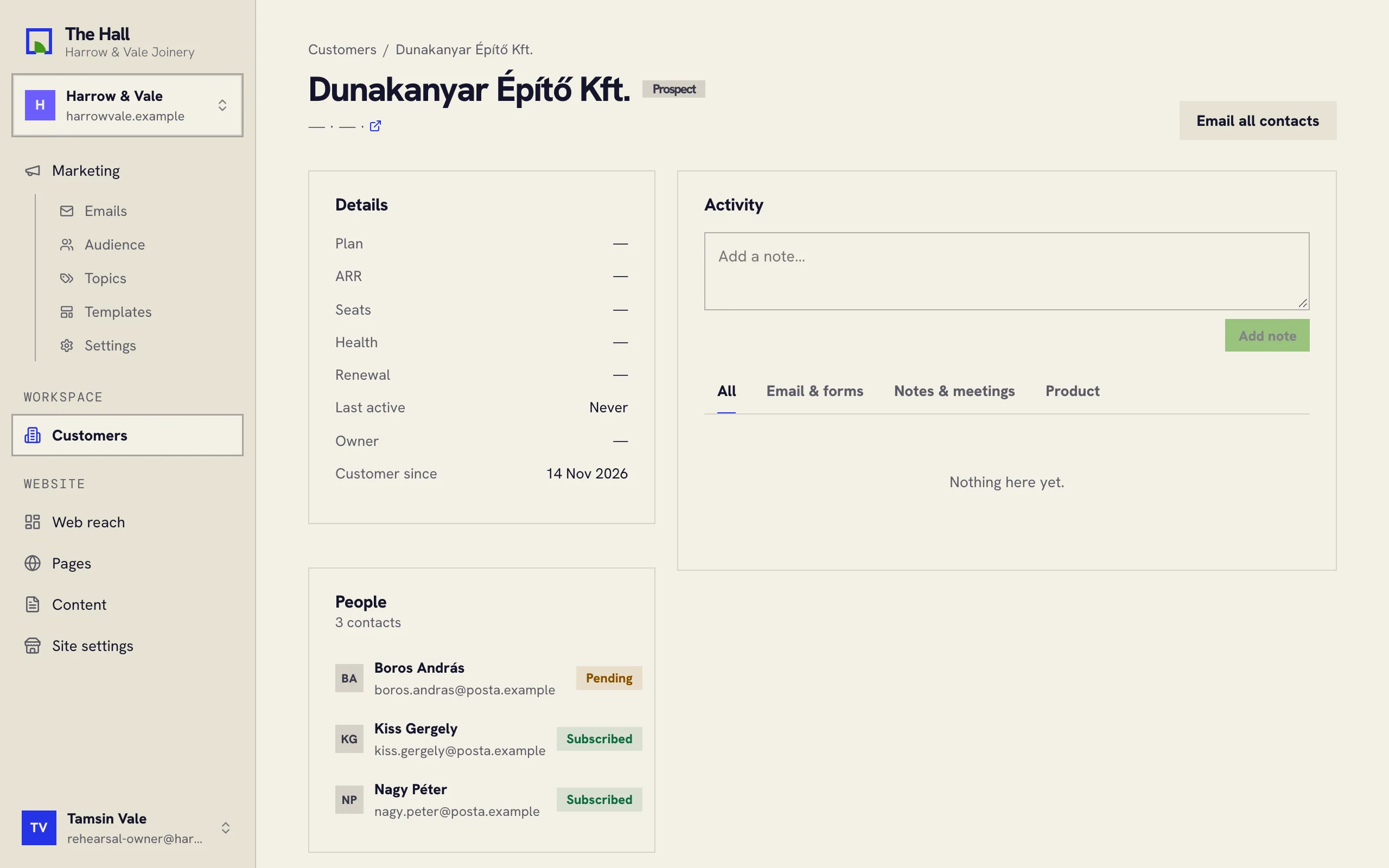
- Details: what you know about them, such as their plan, owner and when they became a customer.
- People: everyone you have on record there. Press a name to open that person.
- Activity: their story with you, newest first: emails, form messages, notes and meetings.
Email all contacts opens a new message in your own email program, addressed to everyone at the company, including people who unsubscribed from your marketing emails. Use it for one-to-one business with that company, never for marketing.
People also live under Marketing › Audience, where you choose who gets your emails. See Your audience and segments.