Your emails go out from your own domain, signed so Gmail and other inboxes trust them. We set this up with you; this page explains what you see.
In the Hall Marketing › Settings
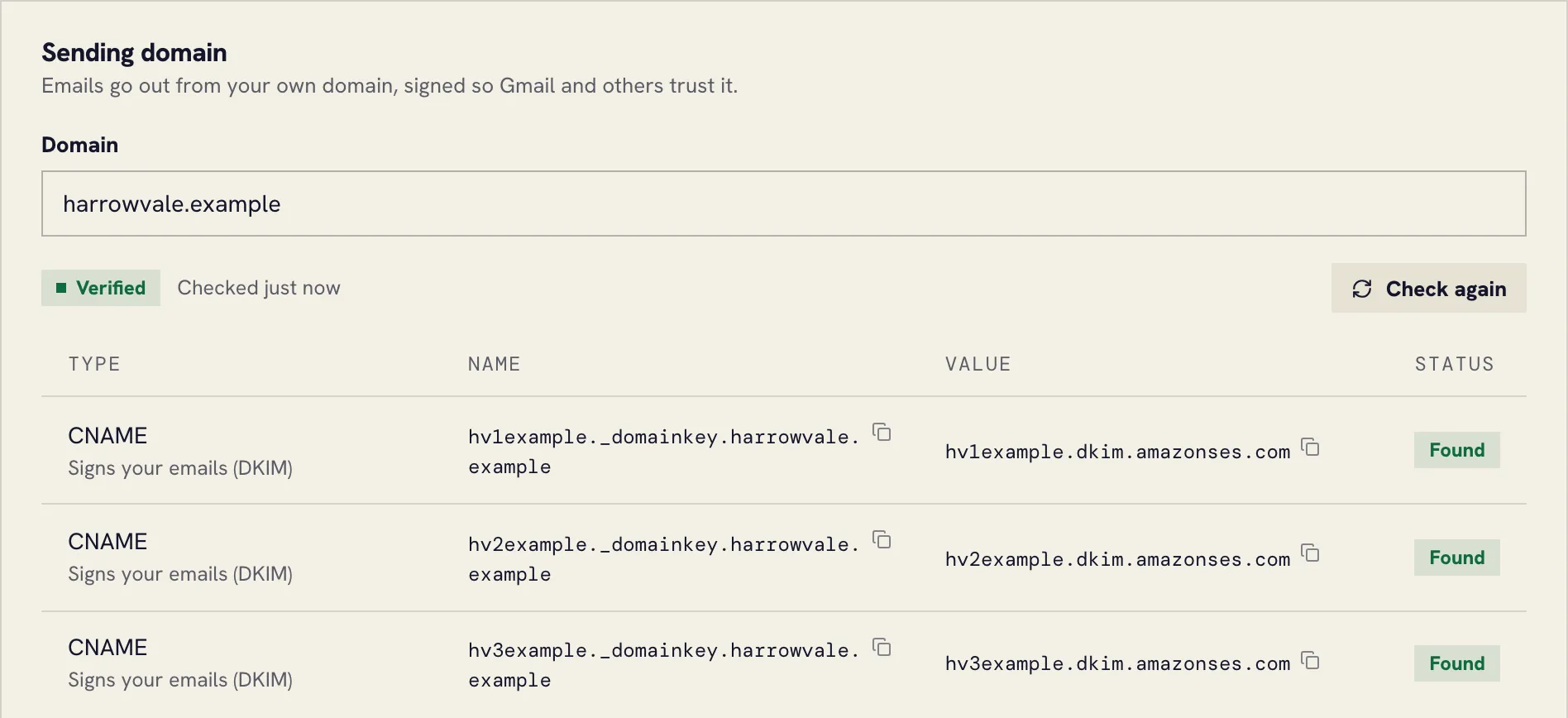
Sending domain
- Domain: the domain your emails come from, such as
example.com. - The records below it are entries for your domain’s DNS. Whoever manages your domain adds them once; each shows Found when it’s in place, and the domain shows Verified when all are.
- Check again looks for the records now, rather than waiting for the next check.
Sender
- From name and From address: who your emails say they’re from.
- Replies go to: where replies land, so a customer can just reply with a question.
- Unsubscribe page language: English or Magyar, for the page people see when they unsubscribe.
Sending pace and list
New domains start slowly, and the Hall raises the daily limit as your domain builds trust. Today’s limit and Sent today show where you are. The list below counts addresses on your do-not-send list: unsubscribed, bounced or complained.