Web reach shows how many people visit your website, how they find it, what they read, and how many get in touch. It’s the first screen you see after signing in.
In the Hall Website › Web reach
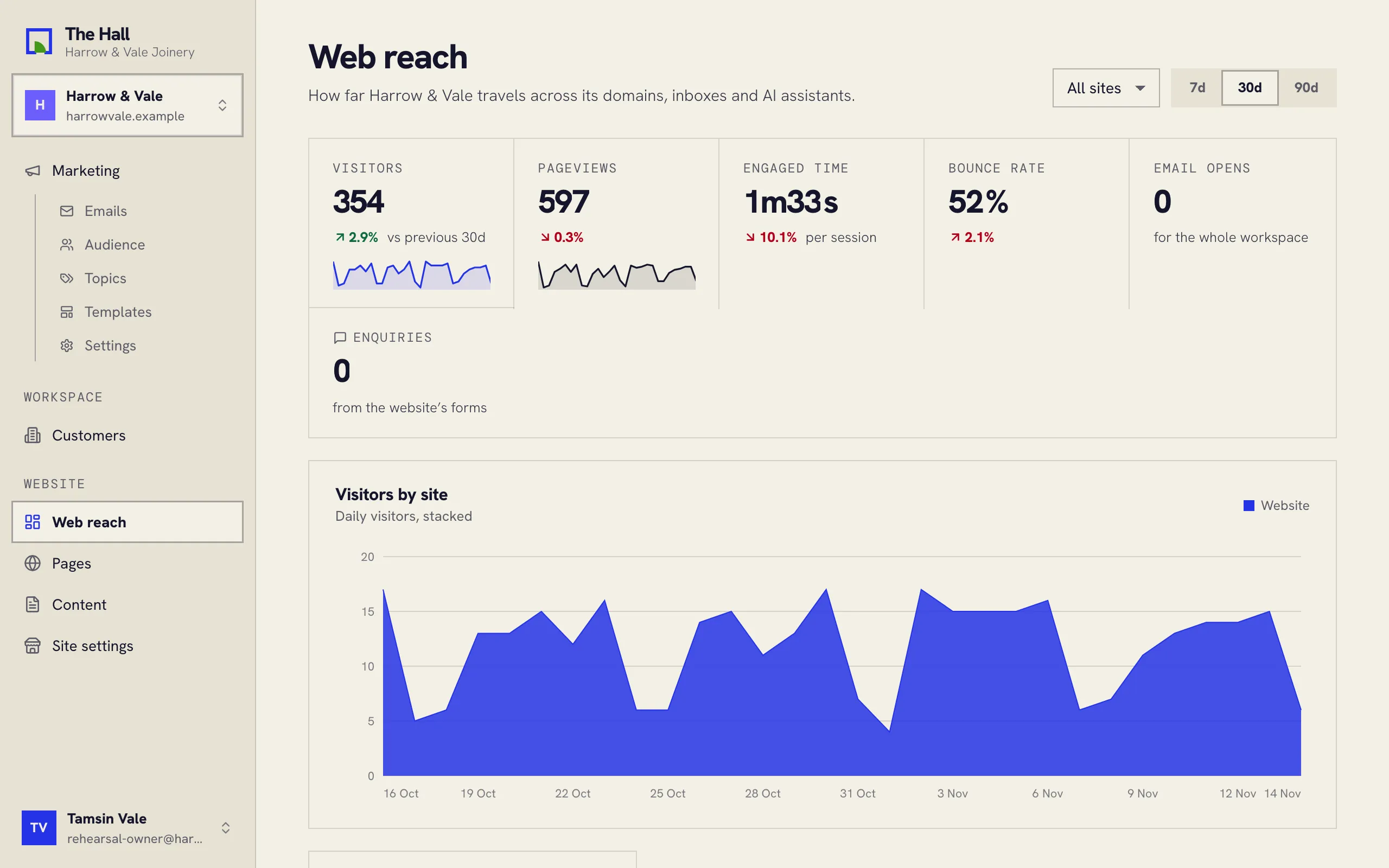
The figures
- Visitors: people who visited. One person counts once a day on each site.
- Pageviews: pages they opened.
- Engaged time: how long a visit lasts, on average.
- Bounce rate: visits that saw one page and left.
- Email opens: opens of your emails in the period.
- Enquiries: people getting in touch. Contact and quote forms sent through your website count, and so do clicks on your phone number, email address, WhatsApp or booking link. A newsletter sign-up is not an enquiry.
Each figure compares with the period before. Choose 7d, 30d or 90d at the top right, and one site or all of them. With one site chosen, Enquiries still counts all your sites, and says so.
Where visitors come from
Visits are grouped by where they came from: Direct, Search, Social, Email, AI assistants (such as ChatGPT) and Other sites. Top pages lists what they read most.
What brings enquiries
Enquiries by source shows where the people who got in touch came from. Each row is a source, with its visits, the forms sent, the contact clicks, and how many enquiries it brings per 100 visits.
- Under Email, each newsletter has a row of its own, so you can see which one brought people back.
- Source unknown counts enquiries that couldn’t be matched to a visit, such as those sent before the source was measured.
- Landing pages that lead to enquiries lists the pages people arrived on before they got in touch.
A click on the same kind of button counts once per visit, so someone who taps your phone number twice is one enquiry.
Why there’s no cookie banner
Web reach counts visits and enquiries without cookies and without storing anyone’s IP address. Nothing is put on the visitor’s device, so your website doesn’t need a cookie banner for it.